

Pagekin
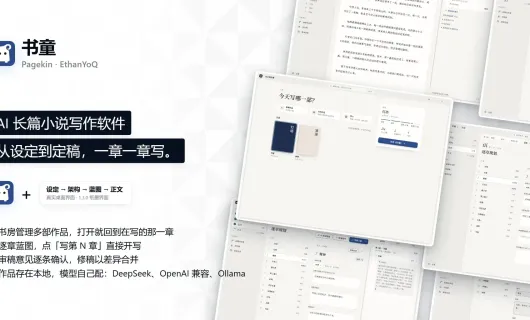
an open-source desktop workspace that enables private, offline novel and script writing by combining structured lore/outline management with local LLMs.
Note: Please open in the PC Client. Go to download >>>
Features
System Requirements
Minimum 8GB RAM. Low storage requirement (1GB reserved).
macOS 15+: Supports both Intel and M-series chips.
Windows 10/11 64-bit: No specific GPU requirements.
Screenshots
Introduction
1. Project Overview & Developer
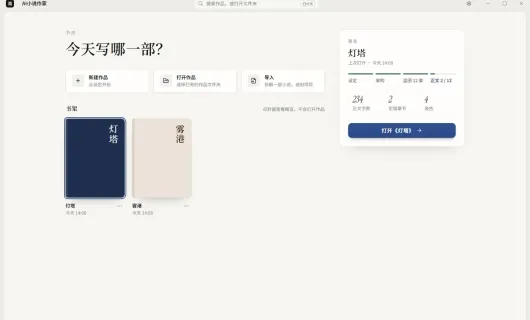
Pagekin (formerly known as AI Novel Writer / AI-Novel-Writer) is an open-source, free desktop creative workbench initiated by developer EthanYoQ on GitHub. Rather than being a simple chat assistant or an online publishing platform, Pagekin serves as a structured orchestration and management tool specifically designed for long-form fiction and script writing.
2. Target Use Cases & Pain Points Solved
Typical Use Cases:
Outlining, worldbuilding, and writing for long-form novels (web fiction, sci-fi, fantasy, mystery, etc.).
Game narrative design and scriptwriting—managing lore, character profile cards, and dialogue drafts.
Personal creative inspiration tracking, style analysis, and automated proofreading.
Pain Points Solved: Standard AI chat windows often suffer from hallucinations, losing story context across chapters, character inconsistencies, and generic "AI-sounding" prose when writing lengthy stories. Pagekin avoids dumping an entire novel into a single chat window, using precise project-based context management for each chapter instead.
3. Core Features & Key Highlights
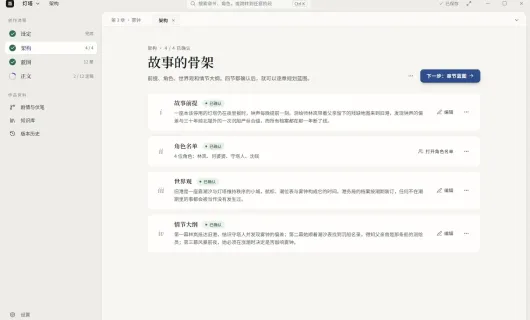
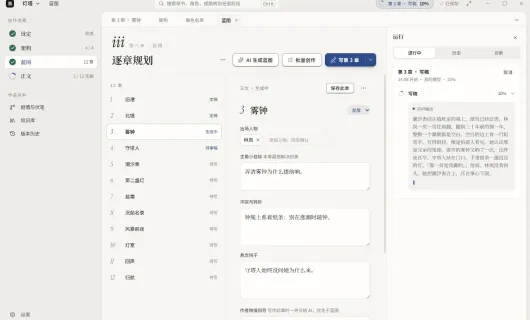
- Pipeline-Based Writing Workflow: Organizes creation into a clear step-by-step pipeline: Premise → Character Cards → Worldbuilding → Chapter Blueprints → Drafts → Review → Revision → Final Polish.
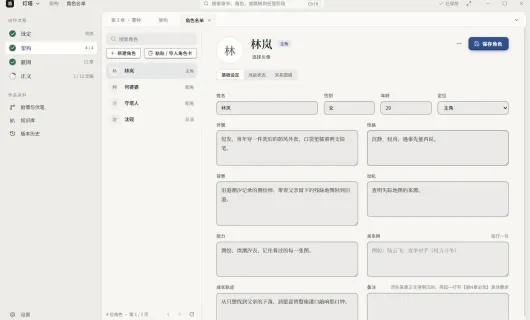
- Dynamic Character & Storyline Tracking: Supports detailed character cards and world lore archives. It automatically detects new characters during generation and displays main/sub-plot branches in a narrative tree view.
- Precise Chapter-Level Context Control: When writing a specific scene, Pagekin dynamically injects only the current chapter blueprint, relevant character details, world rules, concise story summaries, and writing style guides into the context prompt, significantly reducing off-topic drift.
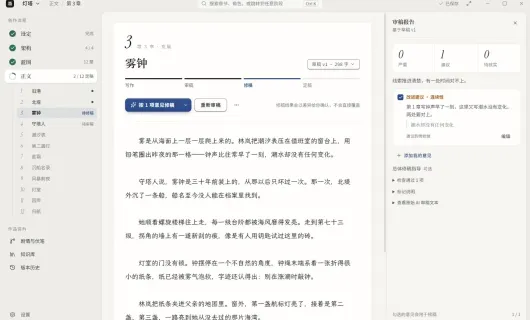
- Built-in Review & Custom Writing "Skills": Generates structured review reports for drafts (identifying pacing or logic issues). Supports pluggable "Writing Skills" to help polish style, imitate tone, or remove generic AI phrasing.
- 100% Data Ownership & Local Privacy: All story projects, character settings, outlines, and drafts are stored in a local SQLite database and project folders on your own machine. Your content is never uploaded to third-party platforms.
4. Underlying Technology & Local Model Support (Ollama, etc.)
Tech Stack & Architecture:
Frontend & Desktop: Built with Electron / TypeScript as a cross-platform desktop application (for Windows and macOS).
Storage: Uses SQLite locally (with FTS full-text search) for managing project state and reference materials.
Decoupled Orchestration Layer: The app does not bundle LLM models; it operates purely as an orchestration framework.
Local & Cloud LLM Integration:
Local LLM Support: Features native support for OpenAI-compatible local API endpoints. Users can run tools like Ollama, LM Studio, or vLLM locally with models like
Qwen2.5orDeepSeek-R1for a 100% offline, free, and private writing setup.Cloud API Compatibility: Also supports custom API keys for cloud providers such as OpenAI, DeepSeek, Gemini, etc.